Opening notifications
Click the bell button next to Search in the left navigation sidebar. The bell shows the number of unread notifications.
Working through your notifications
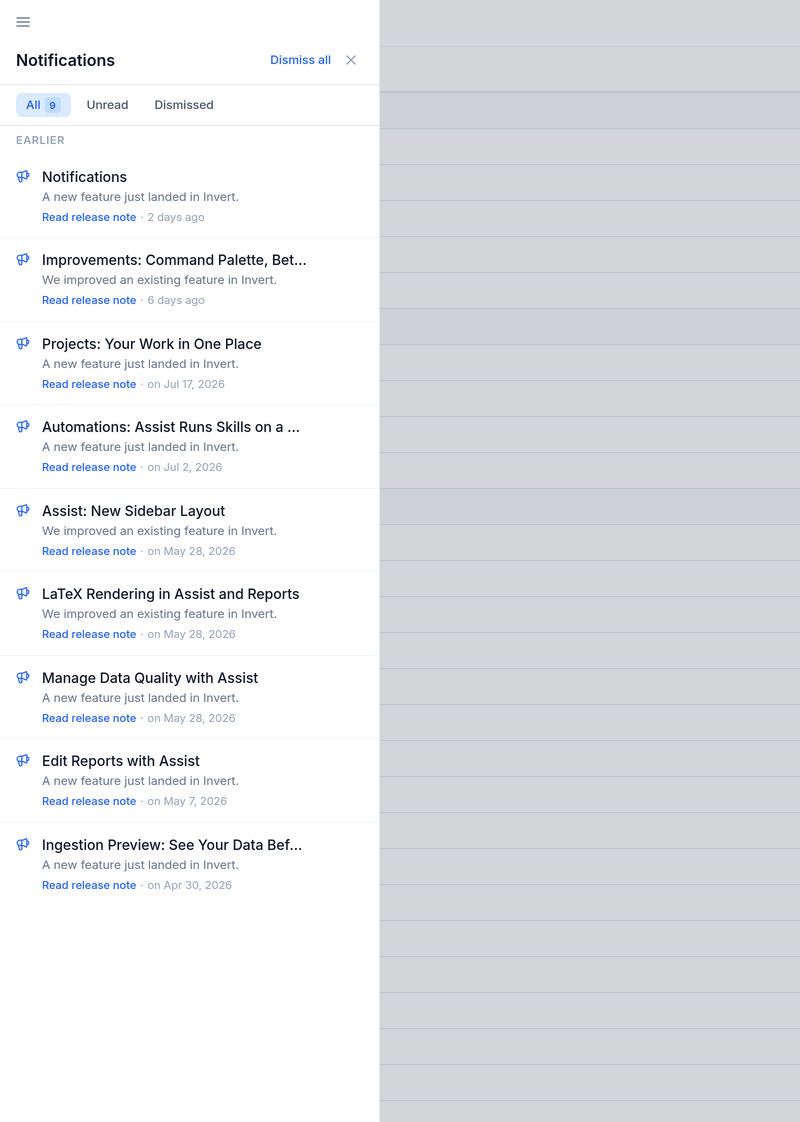
Notifications are grouped into Today and Earlier so recent activity is at the top. Filter the list with All, Unread, or Dismissed to focus on what still needs attention or to find something you cleared earlier.
Opening a notification marks it as read and takes you to the related import, automation run, process alert, or product update. Dismiss individual notifications you no longer need, or use Dismiss all to clear the list; a dismissed notification can be restored from the Dismissed filter.
Notification emails
Notifications are also sent to you by email. Control this under Settings → Notifications, where each event has an In-app and an Email switch. The events are grouped into Imports (Failed, Preview ready, Import assigned to you, Completed), Automations (Run started, Run completed, Run failed), Process monitoring (Process alert), Reports (Mentions — when a team member @mentions you in a report), and From Invert (Product updates). Product updates are in-app only. Use Turn all email off to stop every notification email at once while keeping the in-app notifications. An event with both switches off is silenced and does not reach you anywhere.
A subtle sound plays when a new in-app notification arrives. To stop the sound, turn off Play a sound for in-app notifications under Settings → Notifications.