Opening the command palette
Press ⌘K (Mac) or Ctrl+K (Windows/Linux), or click Search in the left navigation sidebar. Start typing and results update as you go; use the arrow keys to move through them and Enter to open the highlighted result. Press esc to close the palette.
What you can do
- Search across your workspace: Find runs, reports, experiments, projects, metrics, properties, unit operation types, event types, skills, and Assist sessions by name and open them directly.
- Ask Assist: Type a question and send it straight to Assist as a new session, with the page you are on as context.
- Navigate to pages: Jump to any main section of the app — Projects, Experiments, Runs, Reports, Metrics, Properties, Unit operation types, Event types, Skills, Import, Import history, Data Quality, Automations, Users, and the settings pages — without using the sidebar.
- Create something new: Start a new run, experiment, report, Assist session, automation, skill, metric, property, formula, parent metric, unit operation type, or event type.
- Reopen recent Assist history: Browse and return to your recent Assist sessions.
- Account actions: Open the notification drawer, read What's new, switch the theme between Light, Dark, and System using Theme…, get to Organization settings, open Help & support, send feedback, or sign out.
- Invite a team member: Tenant admins can start an invite directly from the palette.
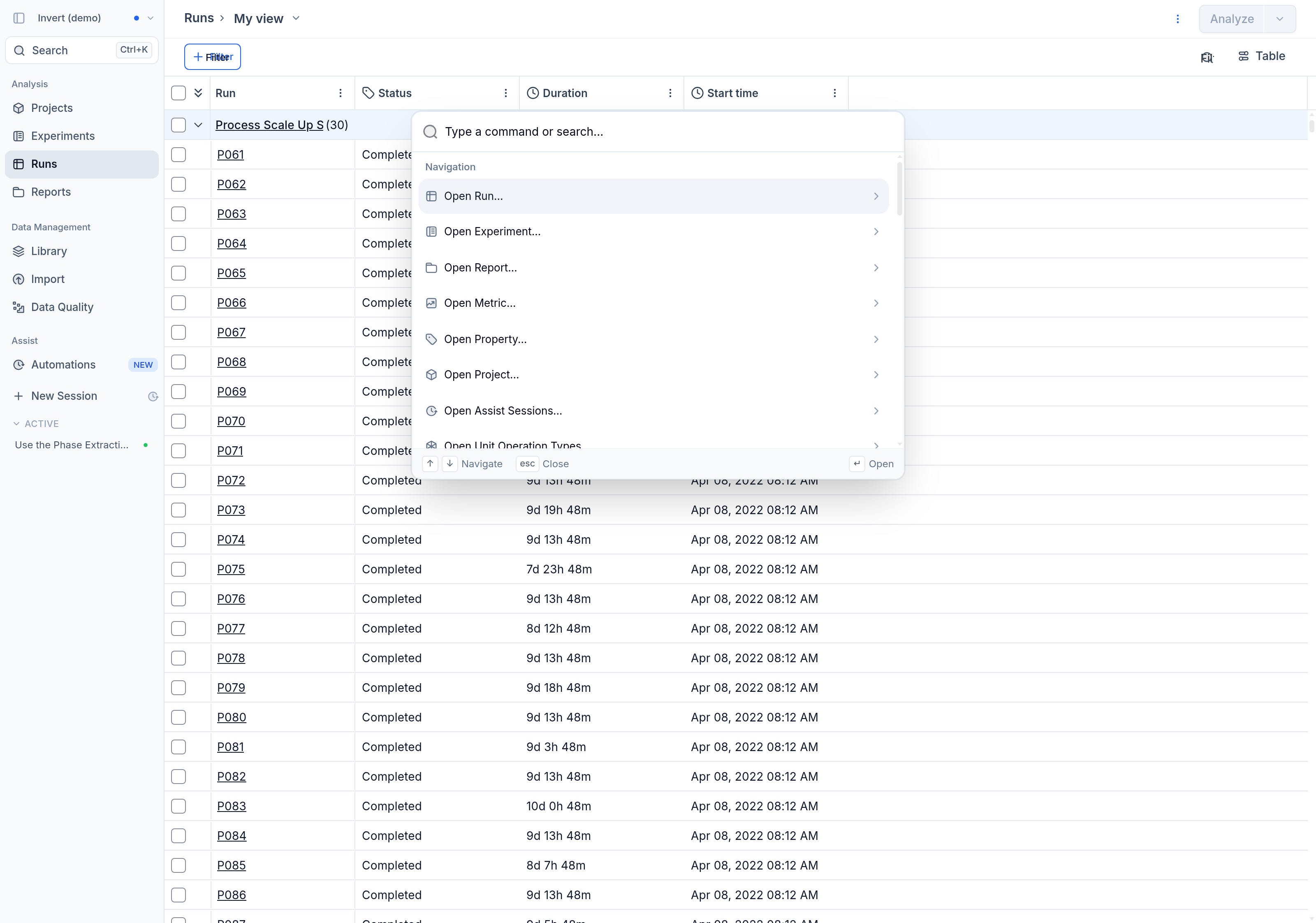
Searching one entity type at a time
Results are grouped by Open, Go to, Create, and Account. To search inside one entity type only, pick an Open … entry under Navigation — for example Open Run… — and then type. The palette then searches runs alone, and the placeholder tells you which type you are searching.
You can also type the type followed by > to go straight there. run>P061 searches runs for P061, and the same works for report>, experiment>, project>, metric>, property>, unit-operation-type>, event-type>, skill>, and assist>. Short aliases exist for the common ones (r>, rep>, e>, p>, m>), new> (or +>) lists the create actions, and go> lists the pages you can navigate to.
Which entries you see depends on your access: guest users see a reduced set, and some actions are limited to tenant admins.