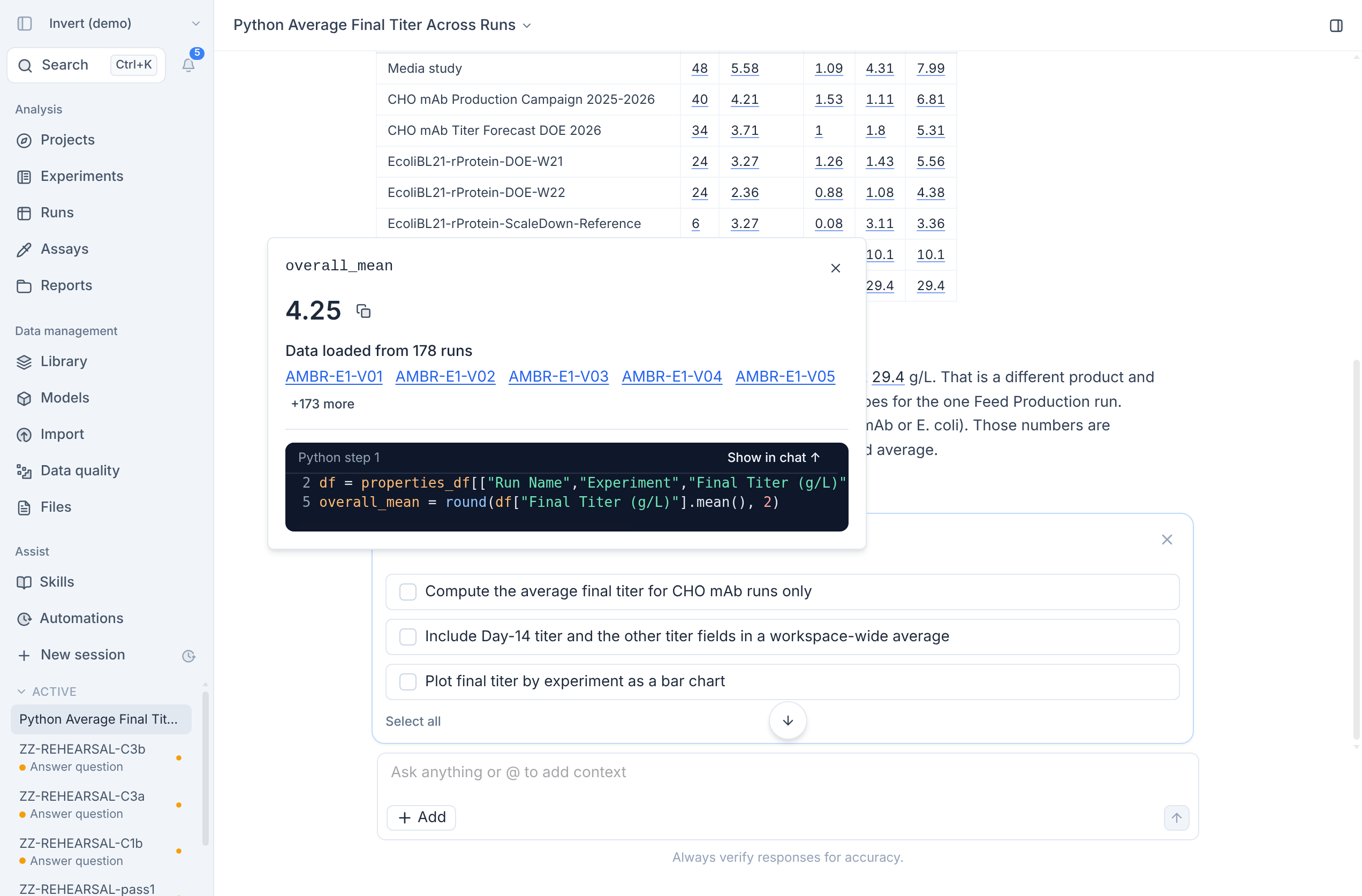
Before you act on a number from Assist or put it in a report, you can now check exactly where it came from. When Assist calculates a value from your data, that value appears in its answer as a clickable chip that leads straight to the code that produced it.
What you get
- Cited values in answers. Numbers that Assist calculated from your data appear as chips in its reply.
- One click to the source. Click a chip to see the value, the runs its data came from, and the exact code that produced it, then jump to that step in the chat.
- Easy to tell what is traced. Numbers that Assist did not calculate from your data appear as plain text, so you can see at a glance which values are backed by your data.