A roundup of improvements we've shipped this week. Invert opens faster, the runs table tells you more at a glance, and your charts can use your own colors.
Invert opens faster
Workspaces now load in a few seconds on first open, and large workspaces see the biggest gains. Assist is usually ready in about two seconds, even before the rest of the workspace has finished loading.
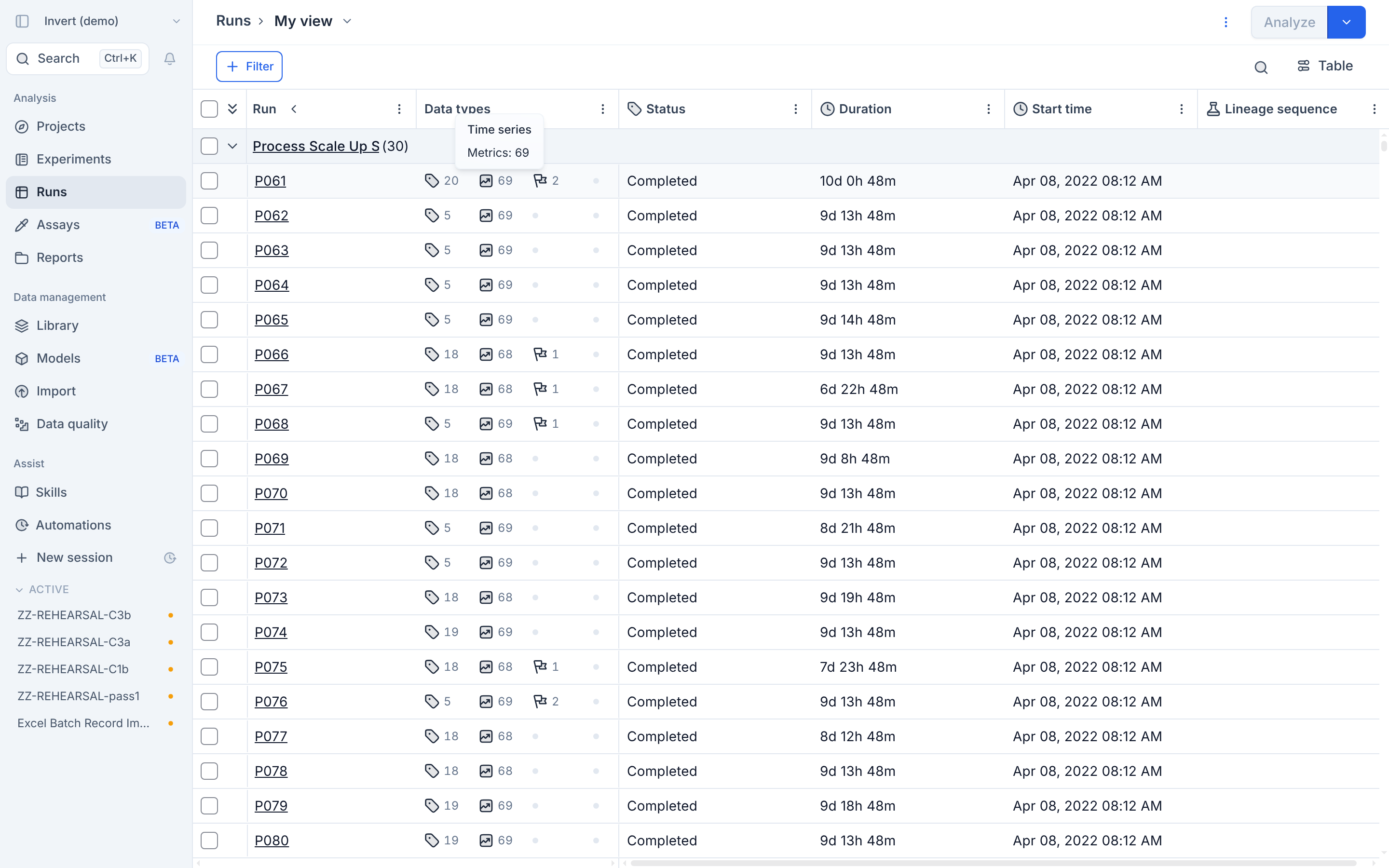
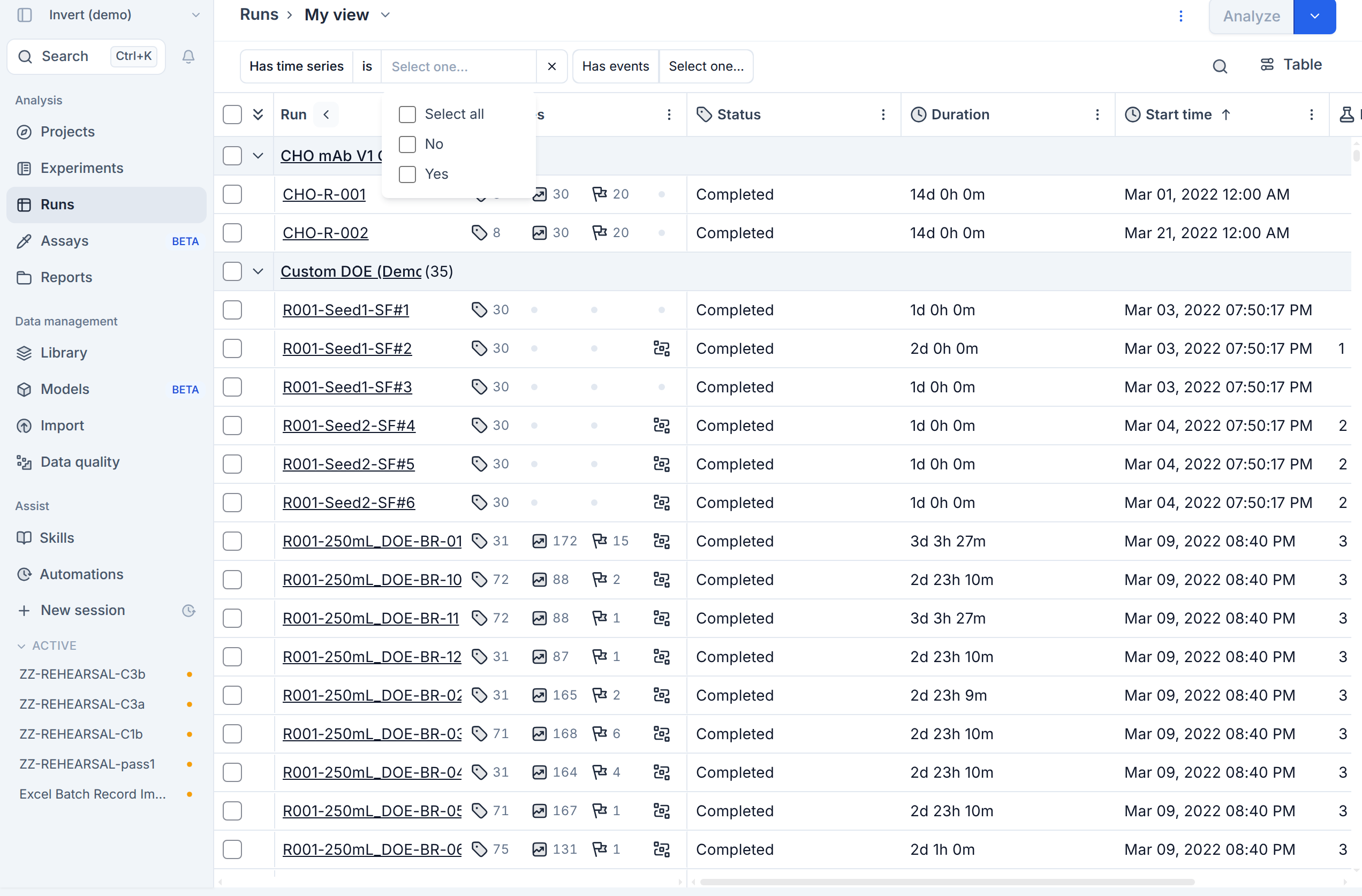
See which data each run has
The runs table has a new Data types column that shows at a glance which kinds of data each run has. Hover a data type icon to see the number of events, broken down by event type, and use the new Has filters, such as Has time series Yes / No, to find runs that are missing time series data, sample events, or lineage.
Brand colors in charts
Set your organization's brand colors in Settings and new charts use them automatically. Existing charts keep the colors they were created with.
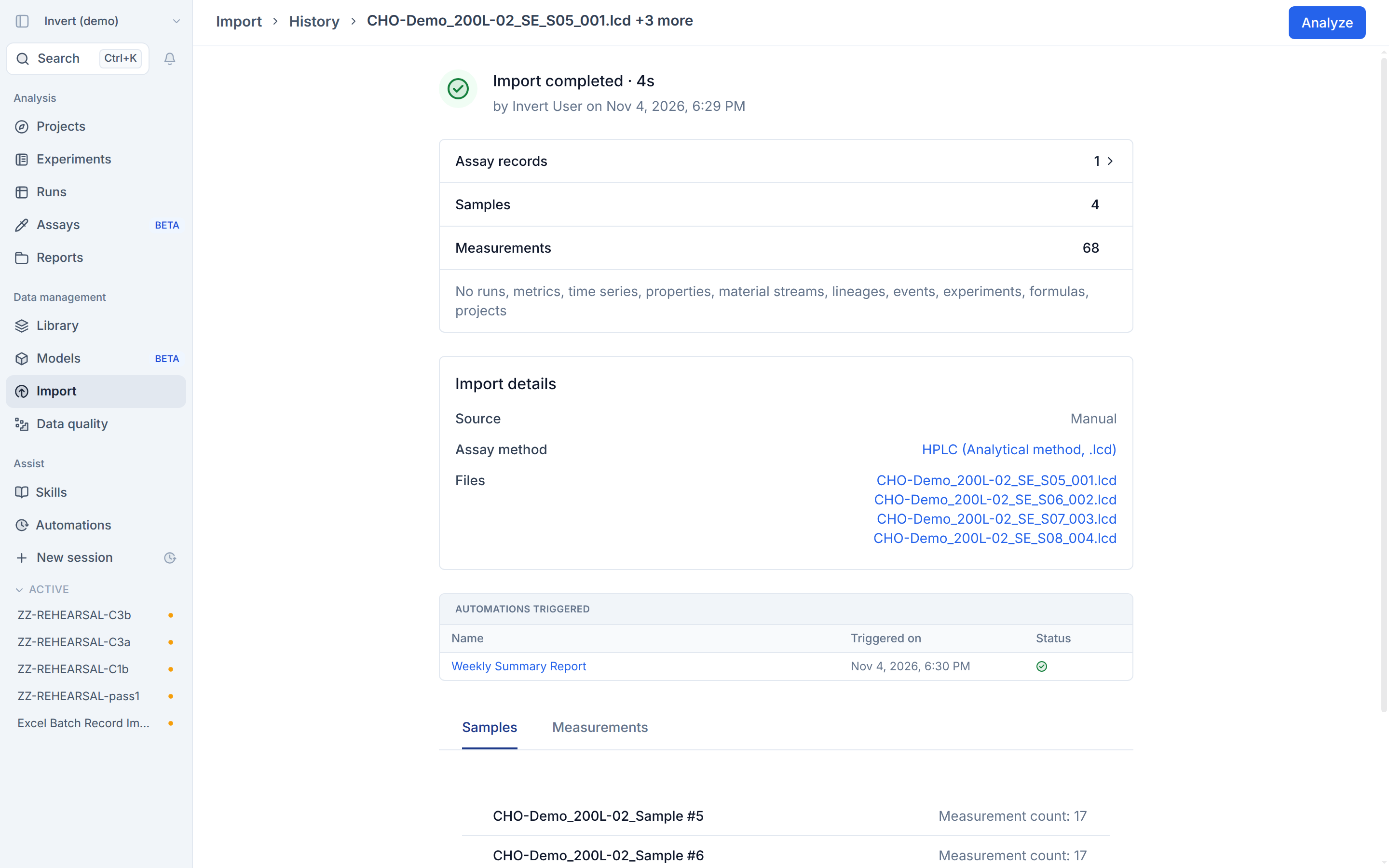
Find the Automation an import started
When a file import triggers an Assist Automation, the import summary and import preview pages now link straight to that Automation session, so you can review what Assist found without searching for it.