This week's improvements make it easier to keep your projects up to date when runs move in or out of scope.
Unlink runs directly from a project
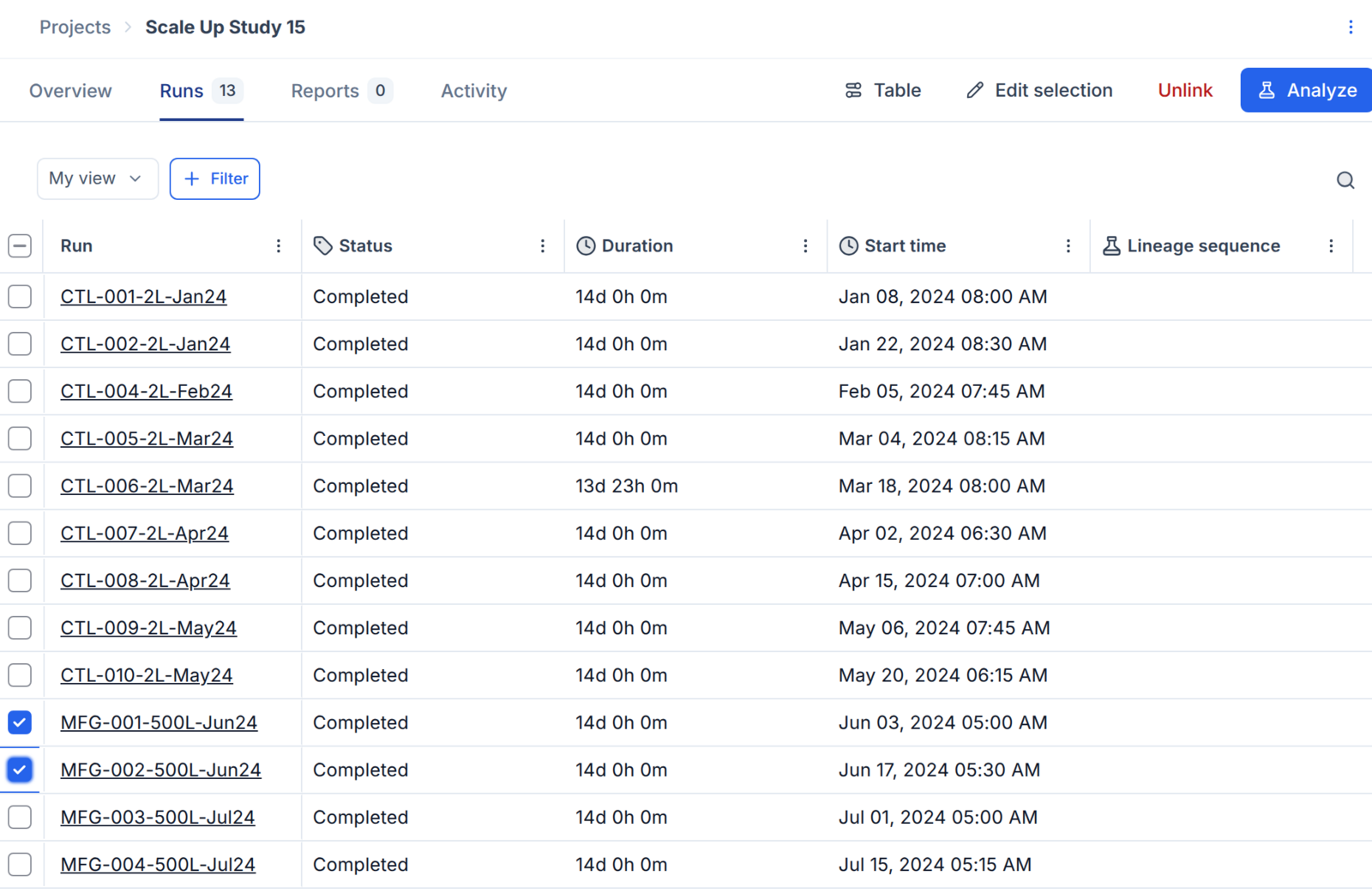
On a project's Runs tab, select one or more runs and click Unlink to remove them from the project. Unlinking only removes the runs from the project; it does not delete the runs or change their data.
Archive runs that are still in a project
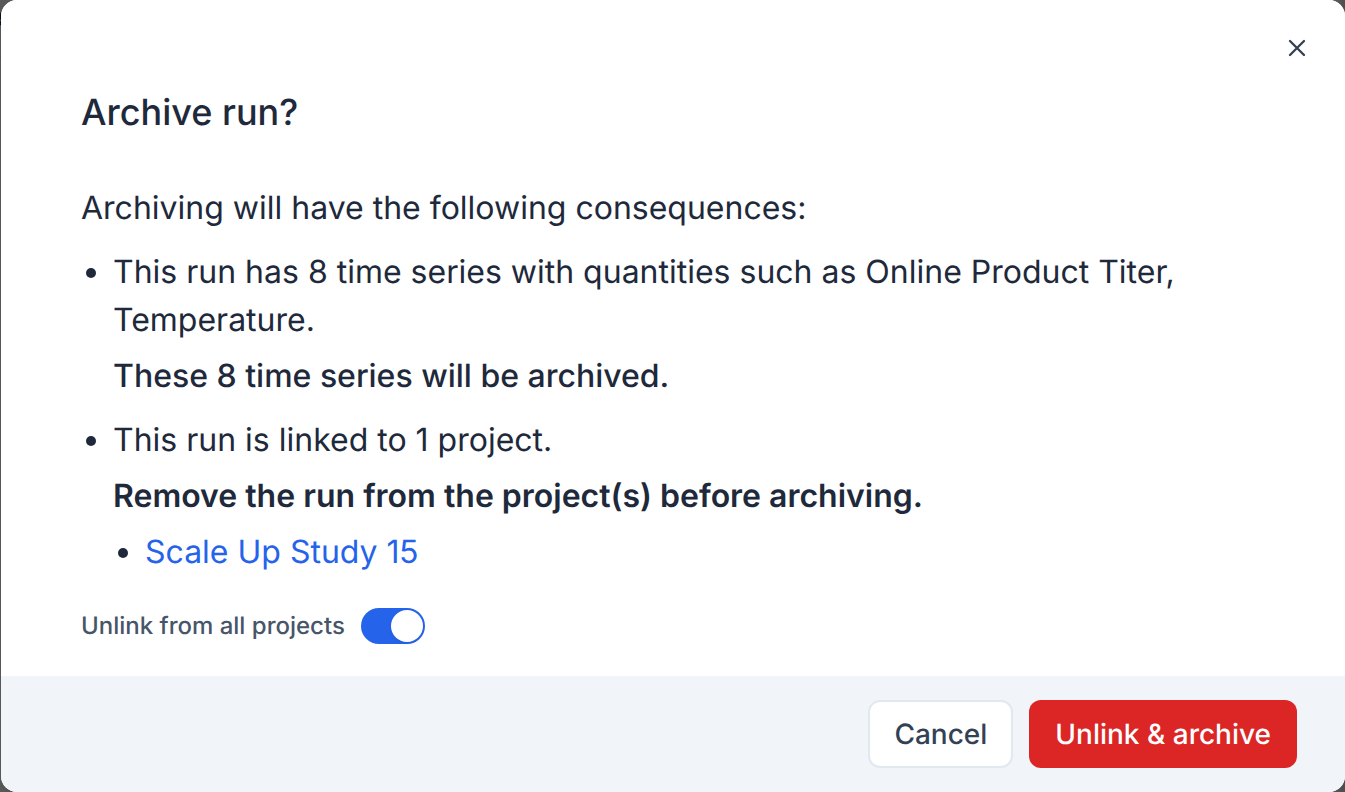
When you archive a run that belongs to one or more projects, the archive dialog lists those projects. Turn on Unlink from all projects, then click Unlink & archive to remove the run from its projects and archive it in one step.
Assist adds and removes project runs and reports
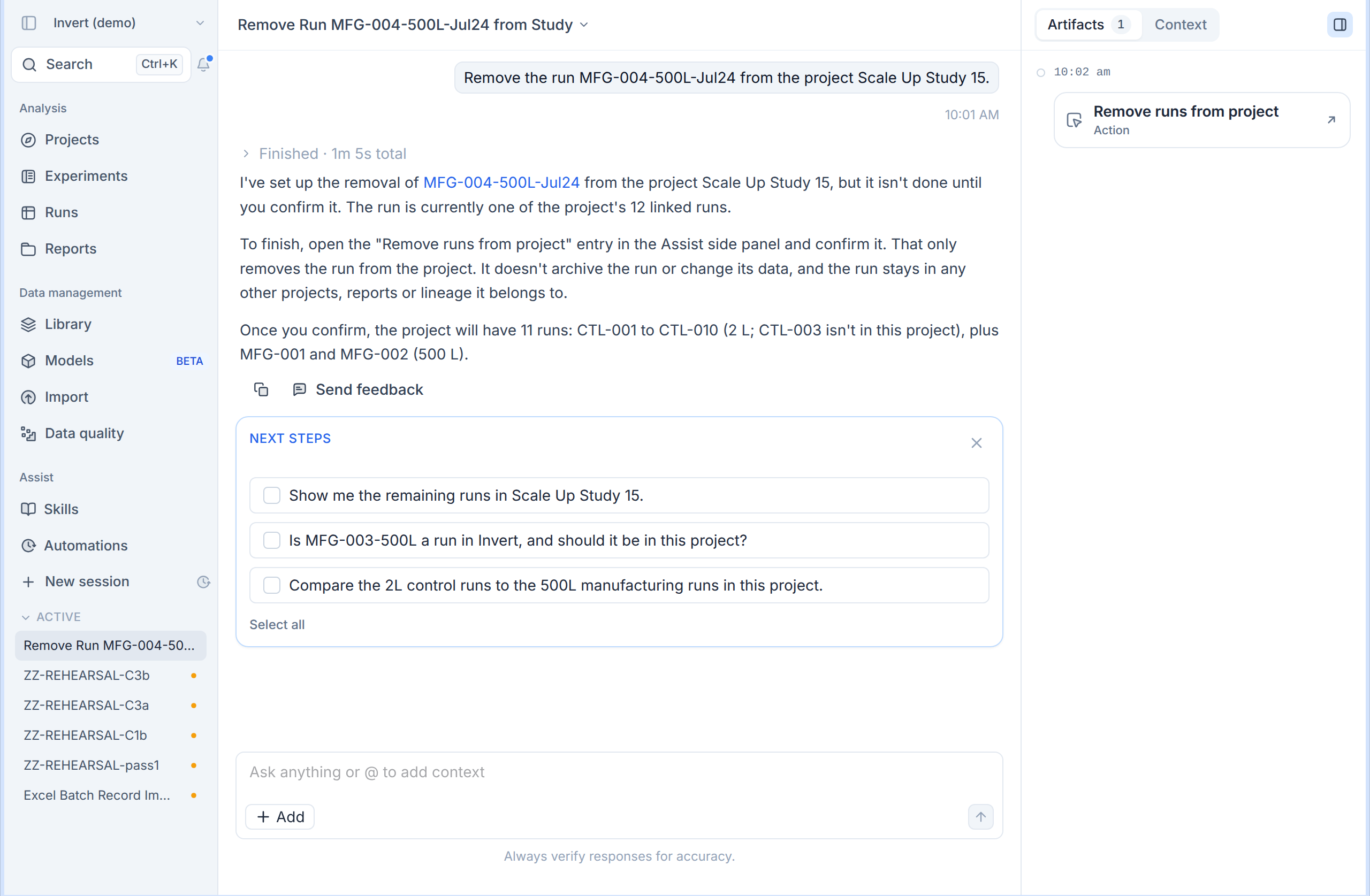
Ask Assist to add runs to a project, remove runs from a project, or remove reports from a project. Assist prepares the change and nothing happens until you confirm it.