Automations used to always run on a schedule. Now they can run the moment something happens.
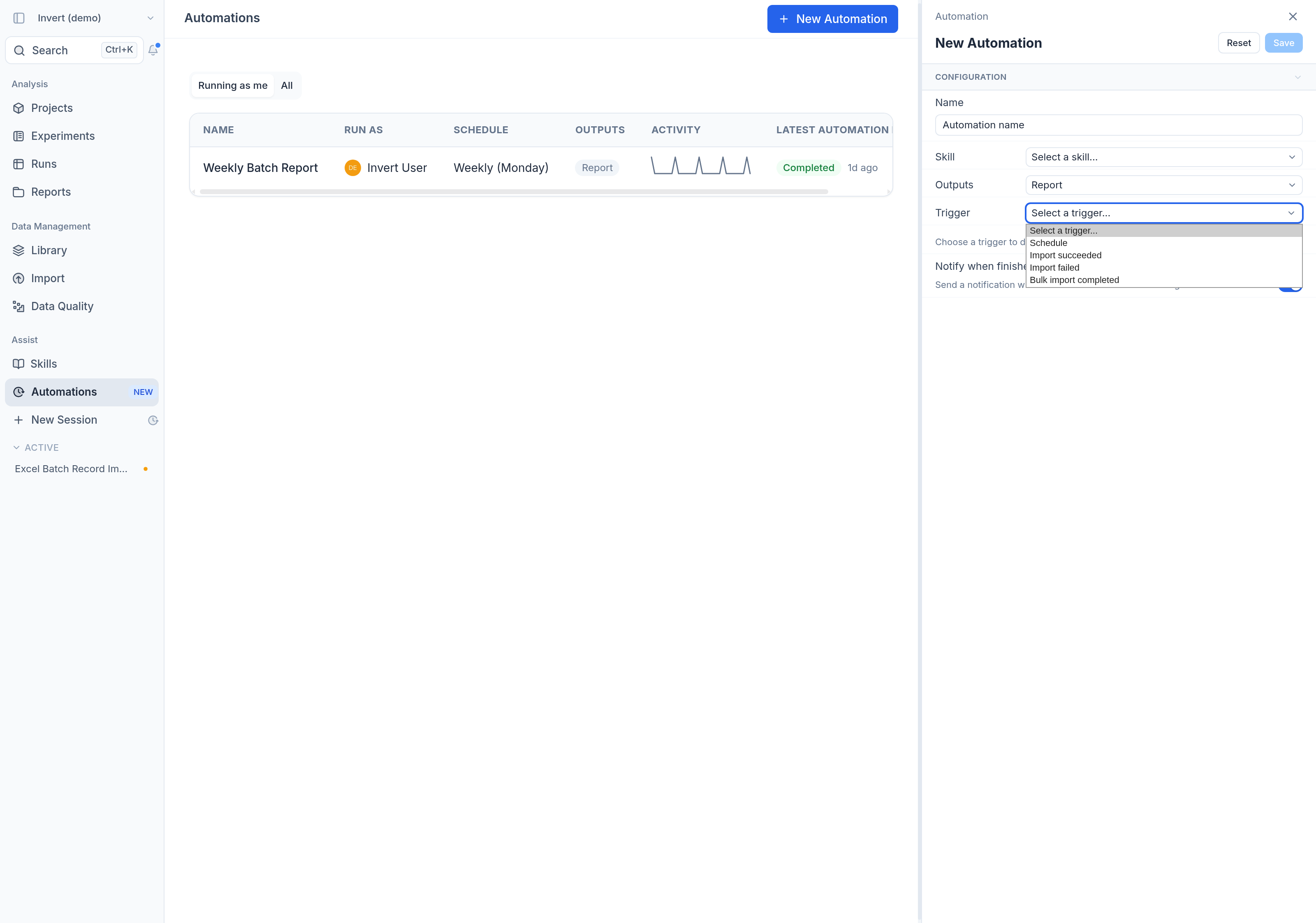
Pick what starts the automation run. Every automation has a Trigger. Alongside Schedule, you can now choose an event:
Import succeeded: run as soon as new data lands in Invert.Import failed: react right away when an import needs attention.Bulk import completed: wait until a whole batch of files is in, then run once.
The run knows what triggered it. The automation run receives the import that started it, so it works on exactly that data without anyone pointing it at the right place first. Check the new data against your quality rules, enrich it, or write it up as a report. On Import failed, the run can read the import that failed, work out what went wrong and queue a corrected import for your review.
The same controls as scheduled automations. Event automations run as you, every run appears in the automation's history with a link back to the session, and any report or import preview they produce still goes through preview and confirm. Pause one, take it over from a colleague, or run it on demand at any time.