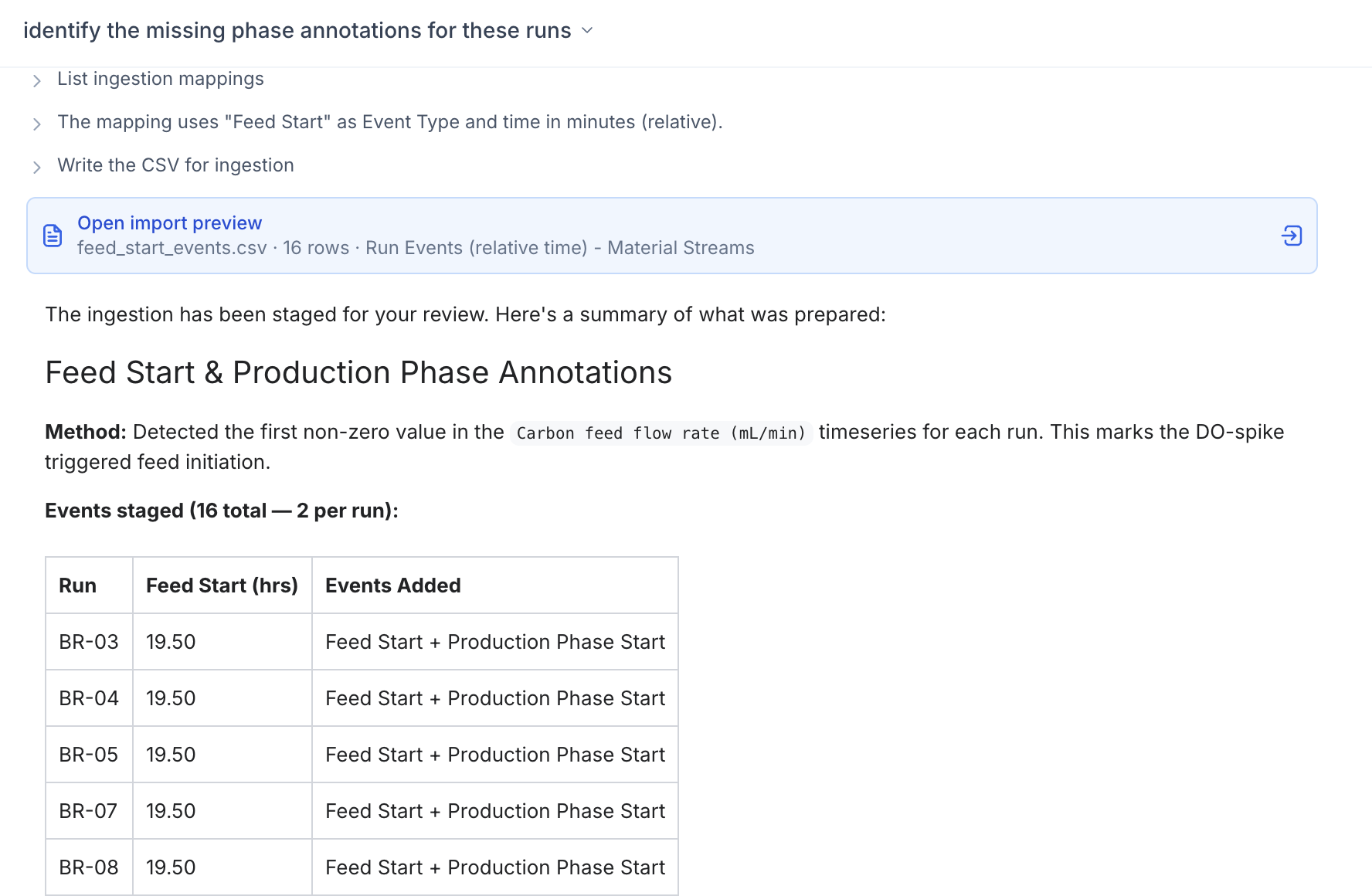
Assist can now supplement your data, not just read it. Ask Assist to add a property, log an event, or clean up a noisy time series — Assist builds an ingestion that you review before saving.
Examples:
- Drop broken probe readings. "Find every run where the pH probe reported below 0 or above 14 and trim those points." Or for a single run: "On Run B-22 the DO sensor pinned at -3% from hour 14 to 18 — drop those readings, probe was disconnected."
- Find and log phases. "On every fed-batch run in Project Aurora, detect the temperature shift from the setpoint trace and log it as a Temp Shift event." Assist scans the trace, finds the inflection on each run, and writes the event back to your run record.
- Backfill missing metadata. "Pull the media lot from the run names (e.g.
…-MEDIA-A4-…) and setmedia_loton every Campaign Q2 run." Properties, events, lineage — anything that should have come in at ingestion but didn't.
Review before it lands
All edits still require review. Assist generates an ingestion workflow — the same as standard file uploads — so you can prereview the run table, line charts, and event table before confirming any changes. All edits maintain a proper, traceable ingestion in the ingestion history logs.
Available now for all Assist-enabled organizations.