---
title: "Improvements: Notification Preferences and Switching Between Assist Artifacts"
slug: 2026-08-06-improvements-notification-preferences-artifact-switching
date: 2026-08-06
type: improvement
tags: ["notifications","import","runs","assist"]
url: https://invertbio.com/changelog/2026-08-06-improvements-notification-preferences-artifact-switching
---
# Improvements: Notification Preferences and Switching Between Assist Artifacts
August 6, 2026 · Improvement · Notifications, Import, Runs, Assist
A roundup of two improvements we've shipped recently, giving you more control over notifications and making it easier to move between the work Assist creates.
**Choose how you receive each notification**
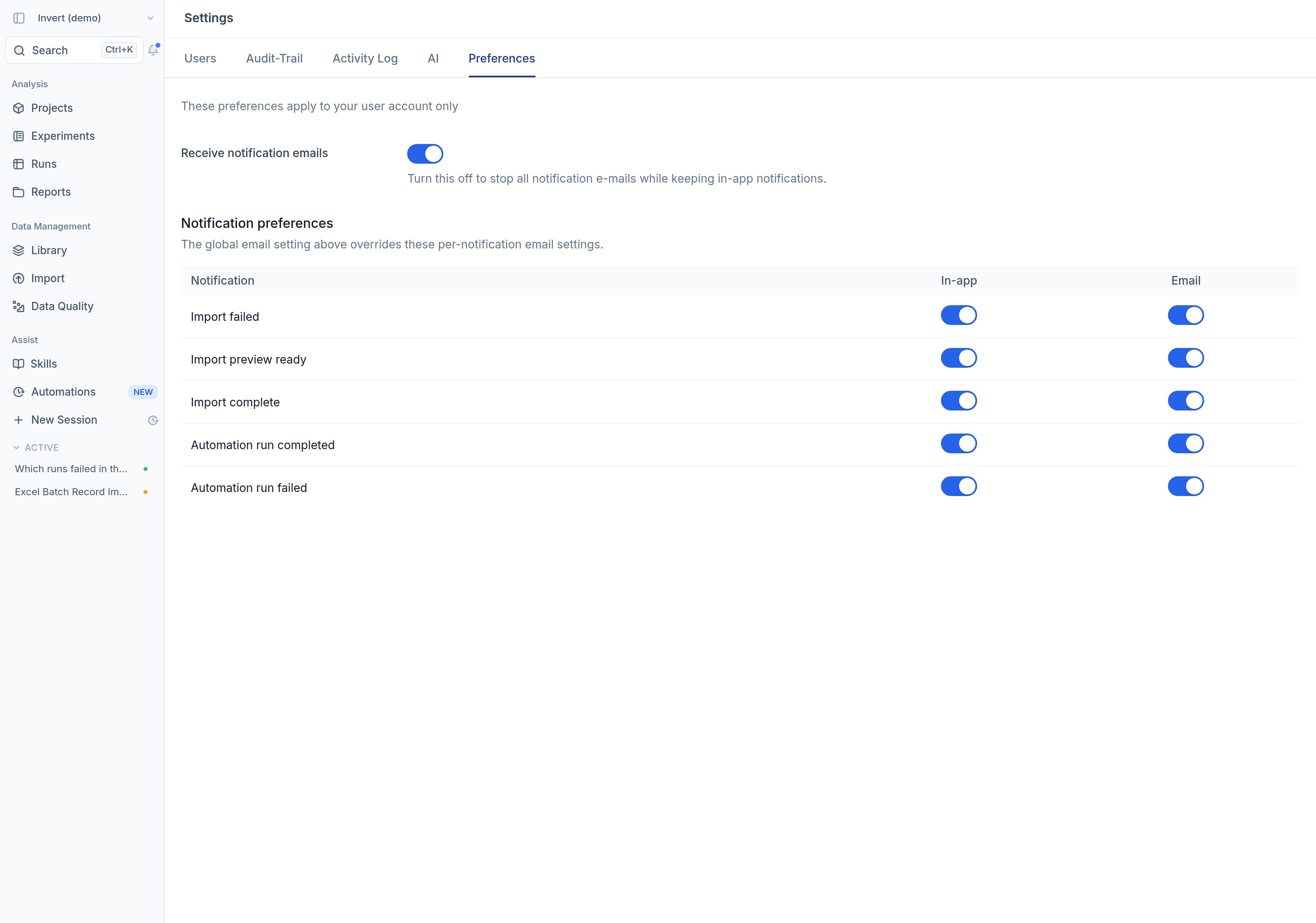
In `Settings` > `Preferences`, choose whether each notification type—such as import failed, import preview ready, import complete, automation run completed, or automation run failed—appears in-app, arrives by email, or both, and use the global email toggle to turn notification emails on or off. Each notification email now links directly to these settings, so you can update your preferences quickly.
**Move between Assist artifacts**
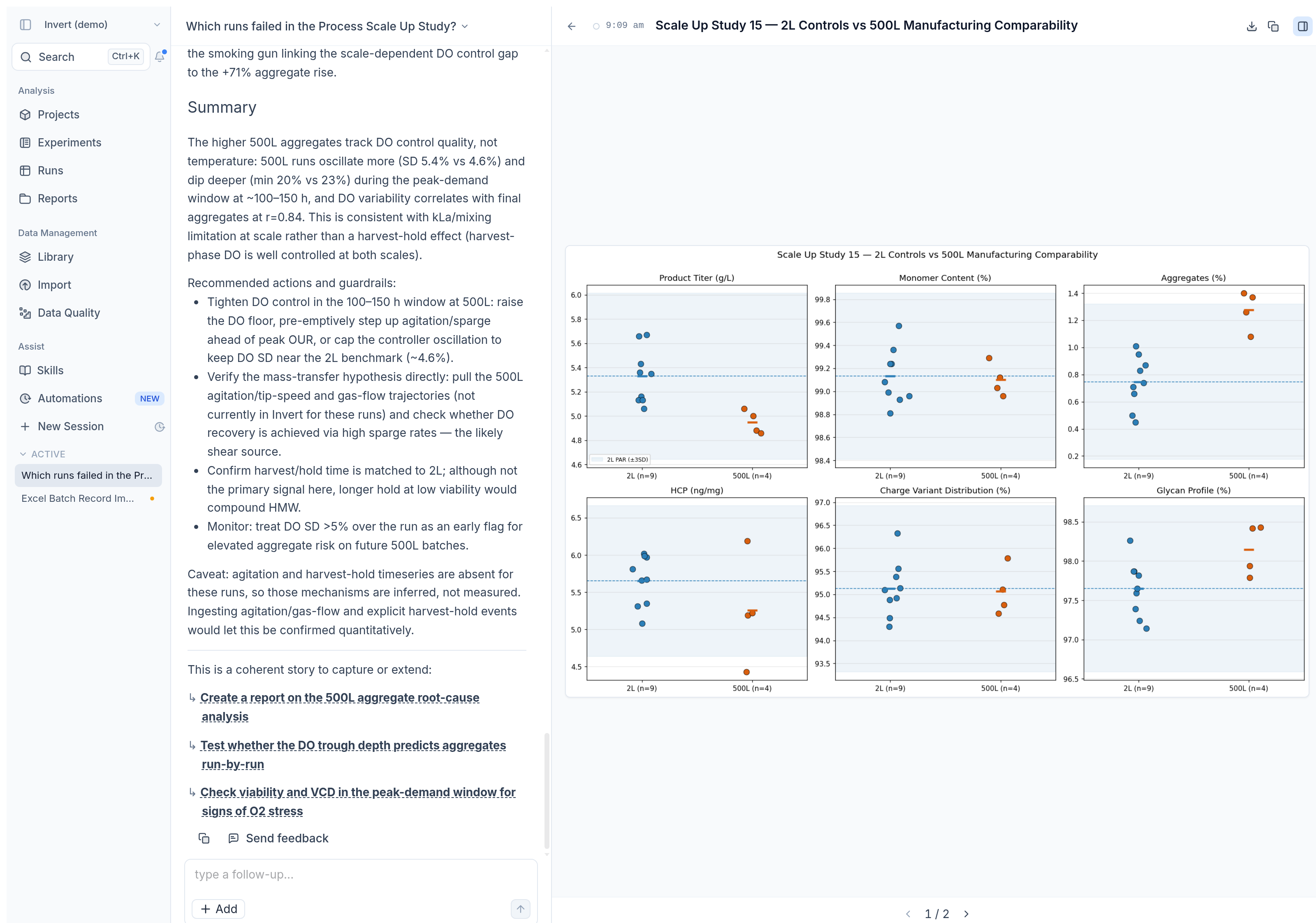
When Assist creates multiple artifacts, such as charts or tables, use the previous and next controls to step through them in the artifact panel, or select the back arrow to return to the artifact list instead of searching through the conversation. The pager shows your place, such as `1 / 2`, so you can quickly open the artifact you need.