---
title: "Improvements: Command Palette, Better Charts in Assist, and Faster Reports"
slug: 2026-07-23-improvements-command-palette-interactive-charts-faster-reports
date: 2026-07-23
type: improvement
tags: ["assist","reports","analysis","performance","navigation"]
url: https://invertbio.com/changelog/2026-07-23-improvements-command-palette-interactive-charts-faster-reports
---
# Improvements: Command Palette, Better Charts in Assist, and Faster Reports
July 23, 2026 · Improvement · Assist, Reports, Analysis, Performance, Navigation
A roundup of smaller improvements we've shipped recently. Individually they're modest; together they make Invert quicker to navigate, faster to load, and more capable when you're deep in an analysis.
**Command Palette: jump anywhere with ⌘K**
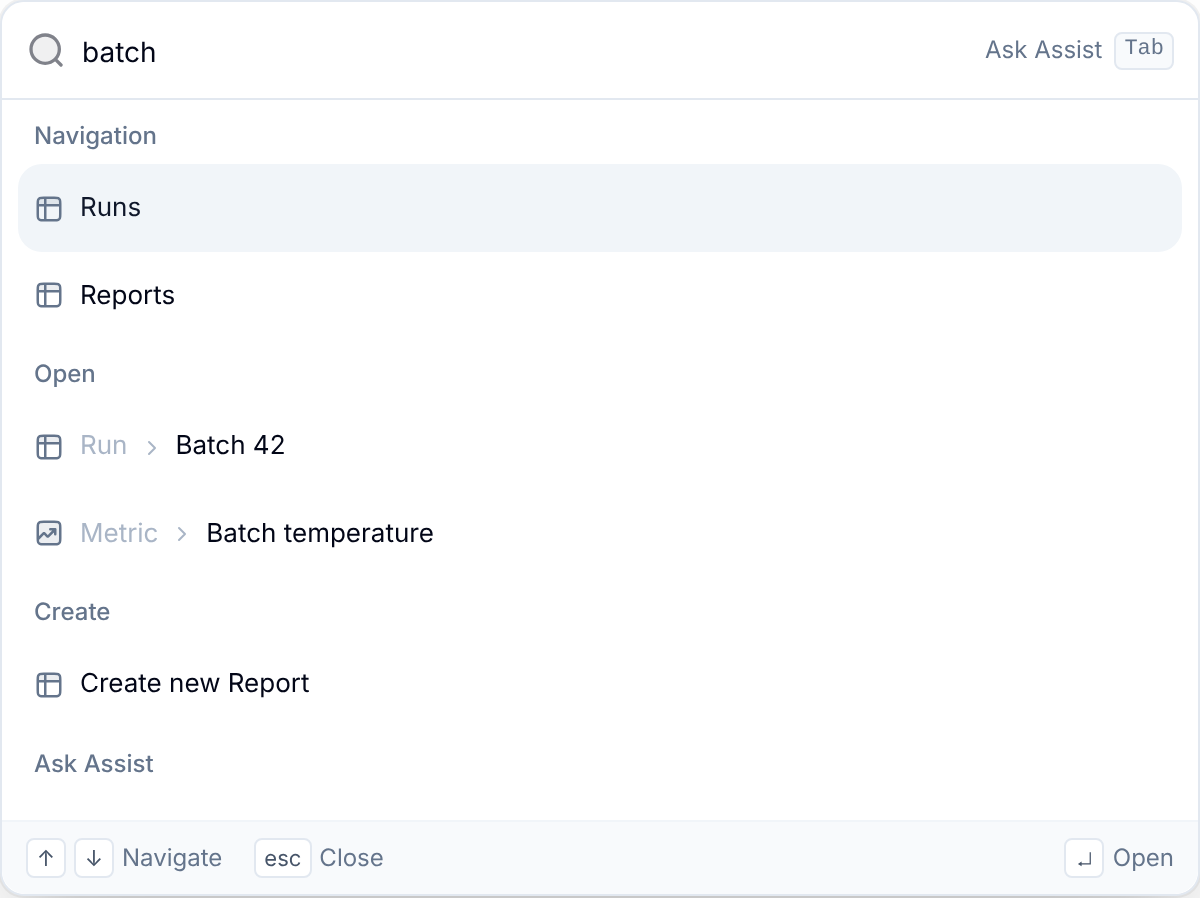
Press `⌘K` (or `Ctrl+K` on Windows/Linux) from anywhere in Invert to open the command palette. Start typing to jump straight to pages, actions, and your data without hunting through the UI. If nothing matches, hit `Tab` to send your query straight to Assist. Available now for everyone; look for **Search** in the left sidebar.
**Interactive Plotly charts in Assist**
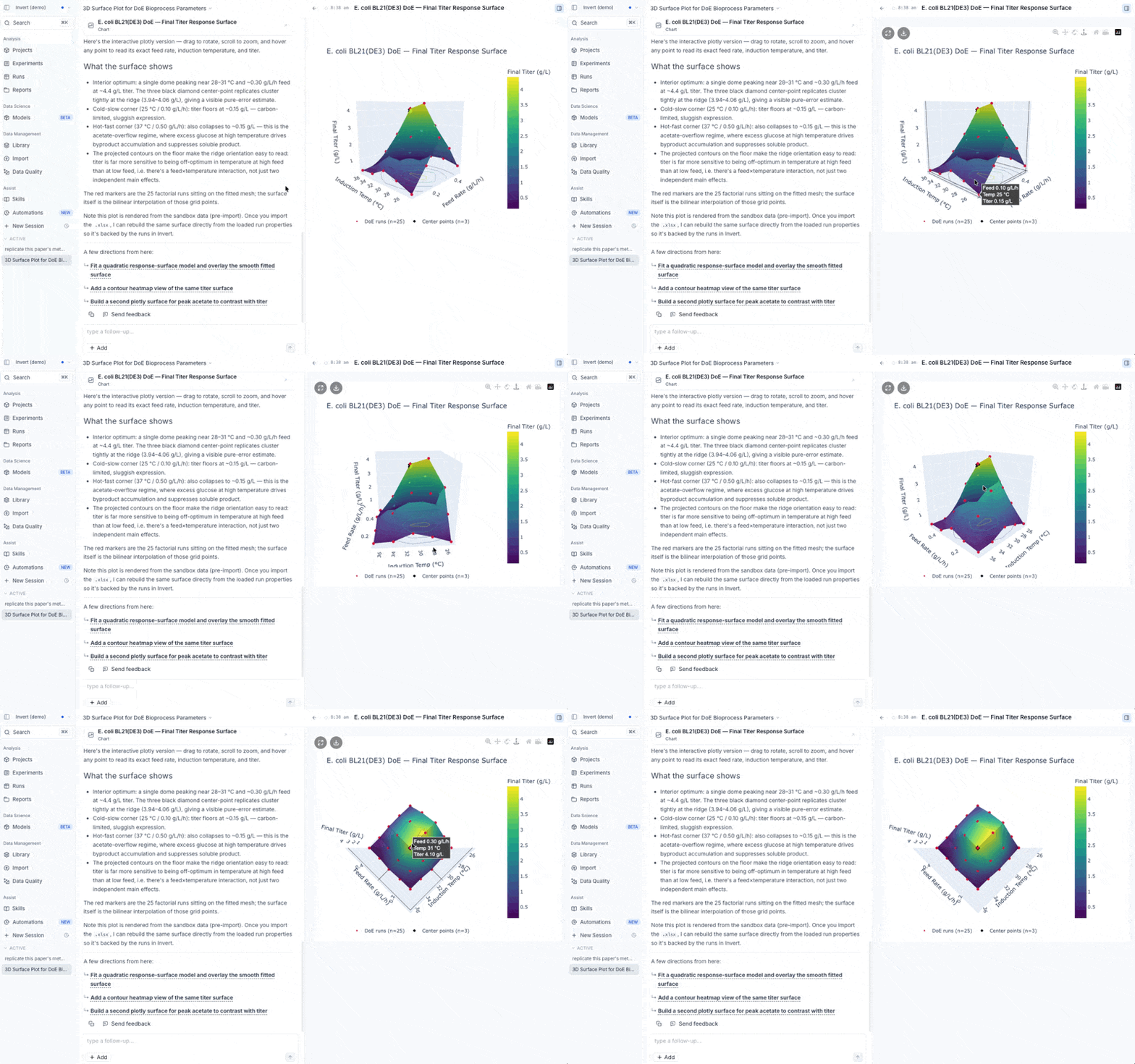
Assist can now render live, interactive Plotly charts directly in the chat. Use the legend, zoom in and out, and go fullscreen. Interactive charts like this used to live only inside Reports, and now they work right in the Assist conversation.
**Reports and plots load faster**
Data-heavy reports and plots now load roughly 4–5× faster, so reports packed with high-density timeseries data open in a fraction of the time they used to.
**Assist keeps working on long-running tasks**
On especially long, complex tasks, Assist now checkpoints its progress and picks the work back up automatically, so even the most involved jobs run to completion.